
Estimates
Make your first estimate
Go from a loss description to a priced, exportable estimate in a single conversation. Follow a sample water loss from the first message to the finished PDF.
Follow along with a sample job:
Jordan Park, 482 Sycamore Lane, Denver, CO. A toilet supply line failed. Affected: hall bathroom and the hallway.
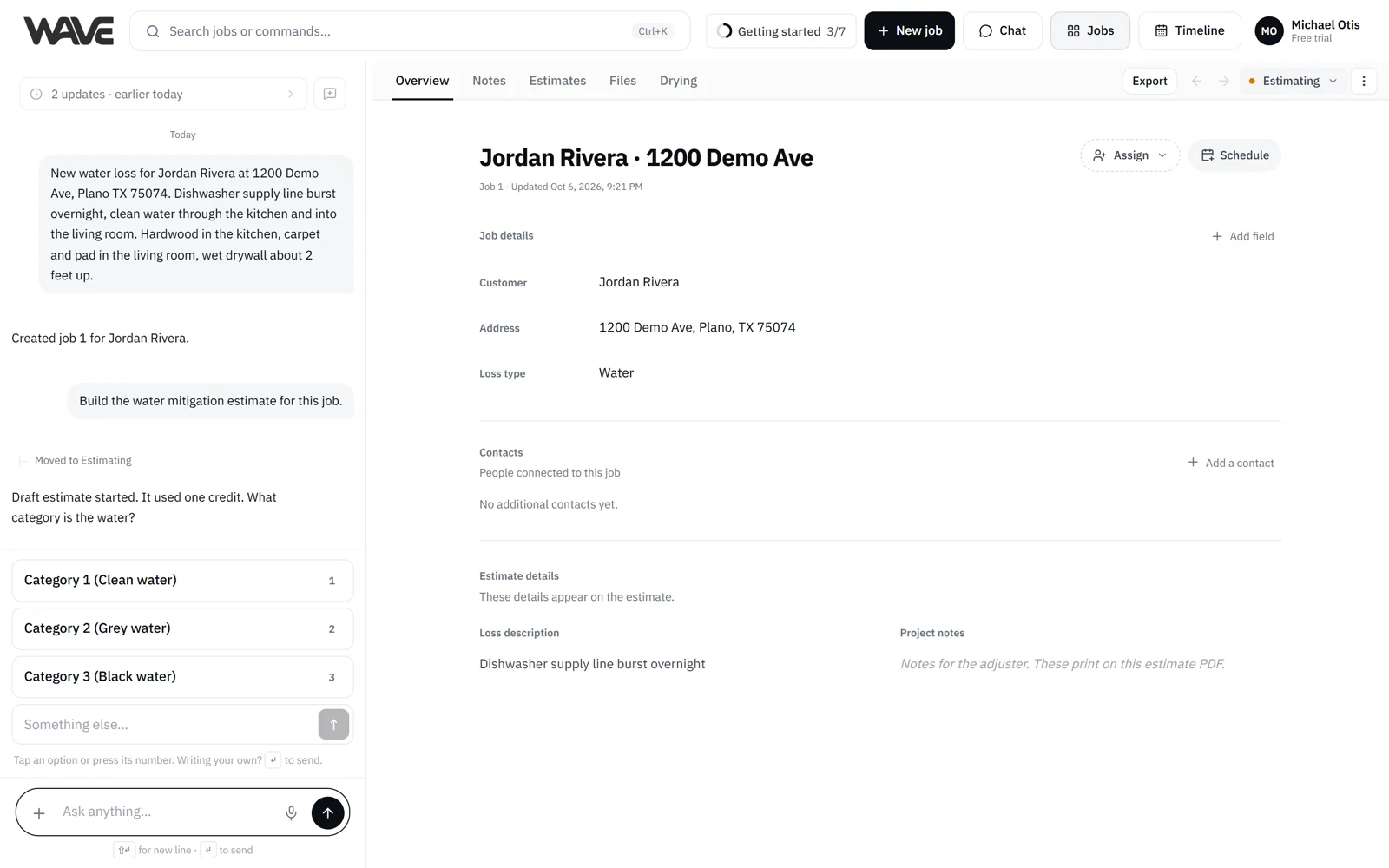
By the end, you'll have a priced estimate on Jordan's job, ready to send.
Before you start: jobs and credits
Jobs don't use estimate credits. Each estimate uses one estimate credit. A new company's free trial covers its first 3 estimates, with up to 3 jobs, and Duplicate comes with a paid plan. See Estimate credits for what the trial includes.
1. Tell Wave what happened
On Home, type into the command box, or tap the mic and say it (voice input):
"Make a water estimate for Jordan Park at 482 Sycamore Lane, Denver. Toilet supply line failed, hall bathroom and hallway."
Say it the way you'd tell a coworker. Add photos or PDFs with the plus button if you have them.
Already working in a job? Tell Wave in the chat beside any tab of that job instead. On a phone, open the job's view menu and choose Chat. Your conversation stays with you across a job's tabs. When you move to Home or another job, you start a fresh conversation, and your earlier messages are kept in the history chip. If Wave was waiting on an answer, Pick up takes you back to it, and New chat starts a fresh conversation any time.
2. Wave finds or creates the job
If Jordan or the address is already in Wave, Wave asks Which job? Pick the right one, or choose Create a job from this to start a new job. Once you pick, Wave carries on with the estimate you asked for.
If the job is new, Wave creates it and fills in the customer, address and loss details you gave. Those details live on the job's Overview, so every estimate on the job reads them from one place.
3. Wave starts the estimate
When you clearly ask for an estimate, Wave starts it and confirms with a short receipt: Draft estimate started. followed by It used one credit.
When Wave creates a job from a message that doesn't ask for an estimate, it offers Start an estimate under its reply. One tap starts the estimate and uses one credit, and Not now puts the offer away. When Wave only infers that you want an estimate (for example, you drop a file with no words, or describe scope on a job that has no estimate), it asks Start an estimate? first. Choose Start estimate to go ahead, or Not now to skip. Nothing is charged until you choose.
If your company is out of credits, Admins are offered an upgrade, and other team members are asked to contact an Admin. Nothing is charged.
4. Answer Wave's questions
Wave reads the job's notes before it asks anything, so your team's earlier notes are put to work. Then it asks focused questions about the loss, the property and the affected areas, one at a time. Many questions offer tap-to-answer choices, and you can also type, speak or say everything up front.
The property address sets regional pricing, and the estimate header shows the region it priced for. See Answer Wave's questions and Answer formats.
5. Watch it build on the Estimates tab
The estimate builds live on the job's Estimates tab: a General section for job-wide items, a section per room with priced lines, and a running total. While Wave is working, hand edits pause until it finishes.
Wave finishes the estimate when it has what it needs. If a line is still missing a quantity, Wave asks you for the number.
The job's first estimate also moves the job along the Jobs board: from New or Pending to Estimating when it starts, and to Completed when Wave finishes it, as long as the job is still in New, Pending or Estimating. You can change the status yourself at any time, and anyone on your team can customize the statuses.
6. Review and change things
Keep talking to Wave: "bump the dehumidifiers in the hallway to 2" or "add the laundry room, it got water too." The estimate updates as Wave works. See Edit a line item via chat.
You can also click any cell to edit it by hand. Your hand edits are preserved when Wave makes later changes, and undo covers both.
Two other places to check:
- Overview: customer and loss details, plus Project notes, which print on the PDF.
- Files: your site photos, videos and PDFs, arranged by room, with an Unsorted section for anything not yet placed. See Job files.
7. Export
Finish by exporting a PDF your customer or the adjuster can use right away. Select Export on the Estimates tab (or the Export chip on any other tab of the job) to open the Export dialog. You can also ask Wave in chat to export. PDF export is available on every plan, including the free trial. See Export reports.
Related
- Answer Wave's questions: how the question flow works
- The Estimates tab: the parts of the estimate on screen
- Estimate credits: what uses a credit and what doesn't
- Export reports: PDF options and packets