
Settings
Company info
Set your company name, logo, address, contact details, license and terms once in Settings, and they appear on every estimate and invoice PDF you send.
Set your company details once and every estimate and invoice PDF you send carries your logo, address, license and terms. Nobody has to retype them from job to job.
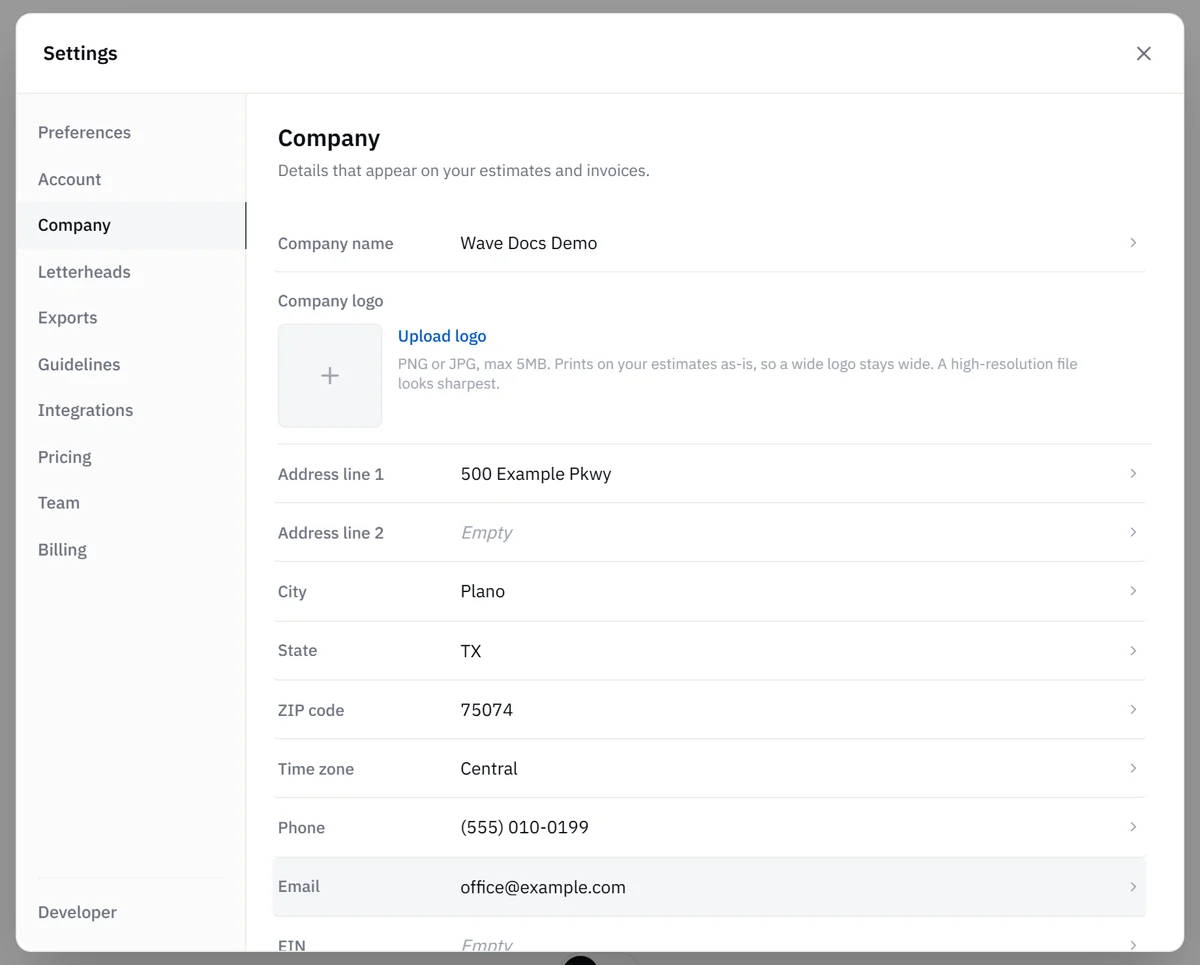
The Company tab in Settings holds the details that appear on everything your team sends out. Everyone on the team can view it, and Admins can save changes. If you're a Member and something needs updating, ask an Admin on your team.
What you can set
- Company name: editable while you set up your company. It locks 14 days after your company is created. To change it later, contact support. For a new location or brand, add a letterhead (see below).
- Company logo: a PNG or JPG of 5 MB or less. It prints as-is, so a wide logo stays wide, and a high-resolution file looks sharpest.
- Address line 1, Address line 2, City, State and ZIP code: Wave checks the state and ZIP before saving and turns a spelled-out state like "Florida" into FL.
- Time zone: the time zone your team's schedule runs on. Wave sets it from your company address, and you can change it here. If appointment times look off on Timeline, check this setting.
- Phone and Email: how customers and adjusters reach you.
- EIN and Contractor license
- Customer policies: your payment terms, warranty or scheduling notes.
How to update
- Open the account menu and choose Settings.
- Select the Company tab.
- Select a field to edit it, or use Upload logo (or Replace logo) to change the logo.
Each change saves automatically.
Where it shows up
Your company details are your default letterhead. Your logo, company name, address, phone, email, license and EIN print on the letterhead of your estimate and invoice PDFs. On styled exports, your company details also run in the footer of each page. Customer policies print under the grand total.
If your logo or address is missing when you export, the Export dialog shows a Brand your PDF note with a Set up company button that takes you straight to this tab.
Updates apply to future exports. A PDF you already downloaded keeps the details it was created with.
More than one location or brand
If you run more than one location or brand, an Admin can add extra letterheads under Settings > Letterheads. Each letterhead has its own name, logo and contact details, and any field left blank uses the company details from this tab. When your company has two or more letterheads, the Export dialog lets you choose which one prints. See Letterheads for multiple locations.
How the document itself looks (styled or plain, your brand accent color and the cover style) is set under Settings > Exports. See Brand your exports.
Related
- Settings overview: every Settings tab at a glance
- Letterheads for multiple locations: extra locations or brands
- Brand your exports: styled covers and your brand color
- Export reports: where your company info ends up
- User roles: which Settings tabs need an Admin