
Jobs & Timeline
Job files
Keep every photo, video and PDF for a loss in one place. The Files tab sorts them by room, and every estimate on the job works from the same set.
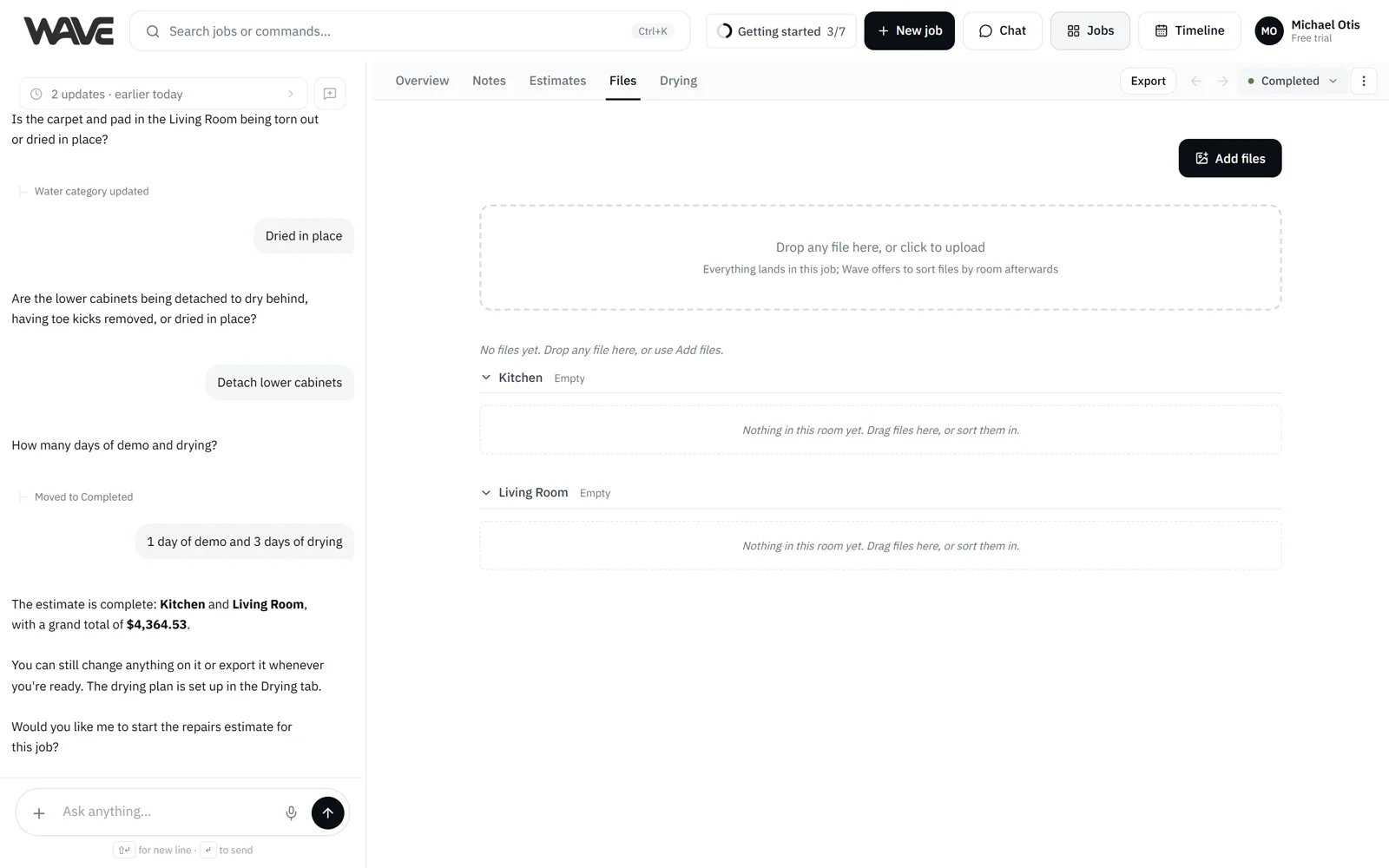
Every job has one Files tab: the home for its photos, videos and PDFs. It belongs to the job, so every estimate on the job works from the same files. Open a job from Jobs and choose Files. On a phone, pick Files from the job's view menu.
Add photos, videos and PDFs
Drop files anywhere on the tab, click the upload area, or click Add files at the top.
- Photos: up to 20 MB each.
- PDFs: up to 100 MB each.
- Videos: up to 200 MB each.
- Up to 40 files at a time. Wave uploads them in batches, so a big drop from the field just works.
Uploads keep going if you switch to another tab of the job. If one fails, click Retry beside it. For the step-by-step, see Upload photos. Files you add in chat follow the limits on Ask Wave about photos and Ask Wave about documents.
Rooms and Unsorted
The tab is arranged by the job's rooms, one section per room, in the job's own order. Anything not placed in a room yet sits in Unsorted. Sort when it helps. Files can stay in Unsorted as long as you like.
Inside each room and Unsorted, files are grouped by the day they were uploaded, newest day first. Use the arrow beside a day to fold it, or choose Collapse all or Expand all from the ⋮ menu at the top of the tab.
Sort into rooms
After an upload, Wave may open a Sort N files by room window. Where Wave has a guess, the room is already picked, and an amber dot marks a guess Wave isn't sure about. Change any row, use Assign all to to send the whole batch to one room, or add a New room. Click Confirm to place them, or Cancel to leave them in Unsorted.
To sort later, choose Sort N unsorted from the ⋮ menu at the top of the tab, or click Sort on the Unsorted header. To move one file or a selection, right-click it and choose Move to room, or drag it onto a room.
Select, rename and caption
Click a file to open it in the viewer, which shows who uploaded it and when. To select several, ⌘-click or Ctrl-click, Shift-click a range, or drag a box over empty space. On a phone, press and hold a file to start a selection. Right-click a file (or use its menu button) for:
- Move to room
- Add a caption: a short line about what the photo shows (one photo at a time)
- Rename: rename one file or many at once. Wave shows the new names before you save. The originals keep the names your camera gave them, so you can rename again safely.
- Add to export: mark photos to go out with your exports. Marked photos gather in the Export photos strip at the top of the tab, and you can drag photos onto it too. When you add Photos to a PDF, the marked photos are the default.
- Download
- Delete
Filter and download
The filter at the top shows All files, Photos, Videos or Documents.
- Download all · N, in the ⋮ menu at the top of the tab, downloads one ZIP of the job's files, named by room, sequence and date. Original videos are included.
- To download one room or one day, open the ⋮ beside its header (or right-click the header) and choose Download all.
- Downloading a selection saves the files one by one.
See Download photos.
Delete a file
Select one or more files and choose Delete, then confirm. The file comes off the job's Files tab. Anything already built from it, like an estimate line, stays as it is.
Files you send Wave in chat
Photos, videos and PDFs you add in the job's chat, or in the Home box when Wave files the request on a job, are kept on that job's Files tab. One upload is all it takes. An upload leaves your estimate as it is until you ask Wave to use the file.
Estimate files
Files that belong to one of the job's estimates show in a read-only Estimate files section. Open and download them there.
Carrier photo guidance
On Pro and Enterprise plans, and during the free trial, a short Summary appears at the top of the tab when the job's carrier matches a program your team uploaded. It lists what that program asks for in photos. Click Review the guideline to read the program's own wording.
Photos and PDFs in your export
In the Export dialog you choose which photos and PDFs go into the PDF:
- Under PDF contents, Estimate photo appendix adds photos that aren't attached to an estimate line, captioned by room.
- Photos, under Include in PDF, builds a photo section from the Files tab's photos, grouped by room and date. Photos you mark Add to export go in by default, and you can switch to all photos.
- Under PDF contents, Uploaded to Files rows let you add PDFs from the Files tab. They are off by default, and each one you tick is added to the end of the PDF.
Files on the Files tab are available to include in what you send, so review the photos and PDFs selected before you export or share. See Export reports.