
Settings
Connect QuickBooks
Connect QuickBooks Online once in Settings, choose how invoices are built, and any teammate can send a finished estimate to QuickBooks as a draft invoice.
Send any finished estimate to QuickBooks as a draft invoice, and review it there before it reaches your customer. An Admin connects QuickBooks once, and everyone on the team can send. You review and send the invoice from QuickBooks.
Who can connect
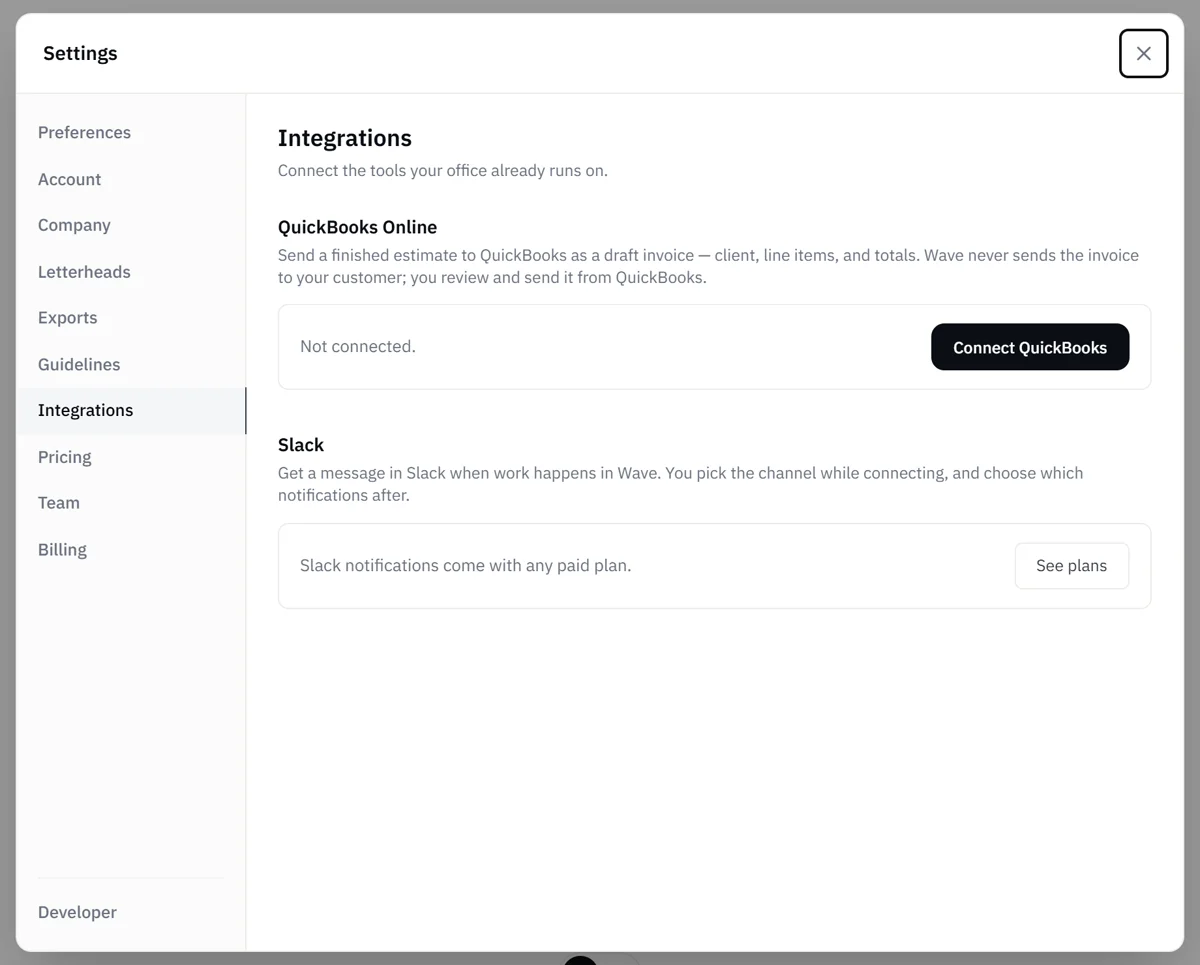
- Admins only. QuickBooks is in Settings > Integrations, which only Admins see.
- Basic and above, and the free trial. You can connect QuickBooks and send draft invoices while you're on the trial.
Admins see the Integrations tab when their plan includes QuickBooks or Slack notifications. See Plans and limits.
Connect
- Open the account menu and choose Settings, then the Integrations tab.
- Under QuickBooks Online, select Connect QuickBooks.
- Sign in to Intuit and approve the connection. Intuit sends you back to Wave.
The card shows Connected and the name of your QuickBooks company. If you cancel at Intuit, nothing is linked and you can try again.
Choose how invoices are built
Once you're connected, a How invoices are created section appears. Its two settings apply to every estimate you send:
- Product/service on each line: the QuickBooks Product/Service your invoice lines reference. The default is Wave Services (created by Wave). Pick one of your own to control which income account the work books to.
- Line detail: how much the invoice breaks down:
- Every line item: each item, quantity and price appears on the invoice.
- One line per room: each room appears as a single line for its total.
- One line for the total: one line for the estimate total, with no breakdown.
Changes save as you make them.
Connect another QuickBooks company
If your company bills as more than one business, each with its own QuickBooks company, you can connect each one. Connecting more than one QuickBooks company is a Pro feature, and it is also available during the free trial.
- Once your own QuickBooks is connected, select Connect another QuickBooks company under the QuickBooks card.
- Enter the name of the business this QuickBooks company is for.
- Select Continue to QuickBooks, then sign in and approve at Intuit.
Each extra company gets its own row with its own invoice settings. You can connect, disconnect or reconnect each one independently. A row that isn't connected can be removed with Remove (select it twice to confirm).
When two or more companies are connected, Wave asks Which company is this for? each time someone sends an invoice. Pick the business and select Send.
Disconnect or reconnect
To disconnect, select Disconnect, then select it again to confirm.
If QuickBooks ends the connection on its side, for example because access was revoked or the authorization expired, the card says the connection ended and the button reads Reconnect. Reconnecting keeps your invoice options.
Related
- Send an estimate to QuickBooks: the everyday flow once you're connected
- Slack notifications: the other integration on the same tab
- Settings overview: every Settings tab and who sees it
- Plans and limits: which plans include QuickBooks