
Export & Share
Share an estimate with one link
Send one link and the adjuster reads your live estimate and comments on the exact line. Your customer gets a clean, branded, view-only page. Two audiences, two links, both easy to replace or stop.
Send one link and the adjuster reads your live estimate, asks questions on the exact line and sees each change as you make it. Your customer gets a clean, branded, view-only page. No PDF round trips, no second document to reconcile.
Sending a PDF usually means a round trip: you export it, email it and wait for a markup and a revision request. A share link keeps everyone on one document that stays current. You send a URL, the other side reads the estimate as it is right now, and their questions land on the line they're about. When you make a change, they see the change.
The link shows the current estimate
Each time the recipient opens the link, they see the current estimate. Fix a quantity on Thursday and the adjuster who opens the link Friday sees the fix.
When you create a link, you choose its audience, how much pricing it shows, which estimates it includes and whether attachments come along. To change those choices, replace the link.
Create a link
- Open the job and go to the Estimates tab.
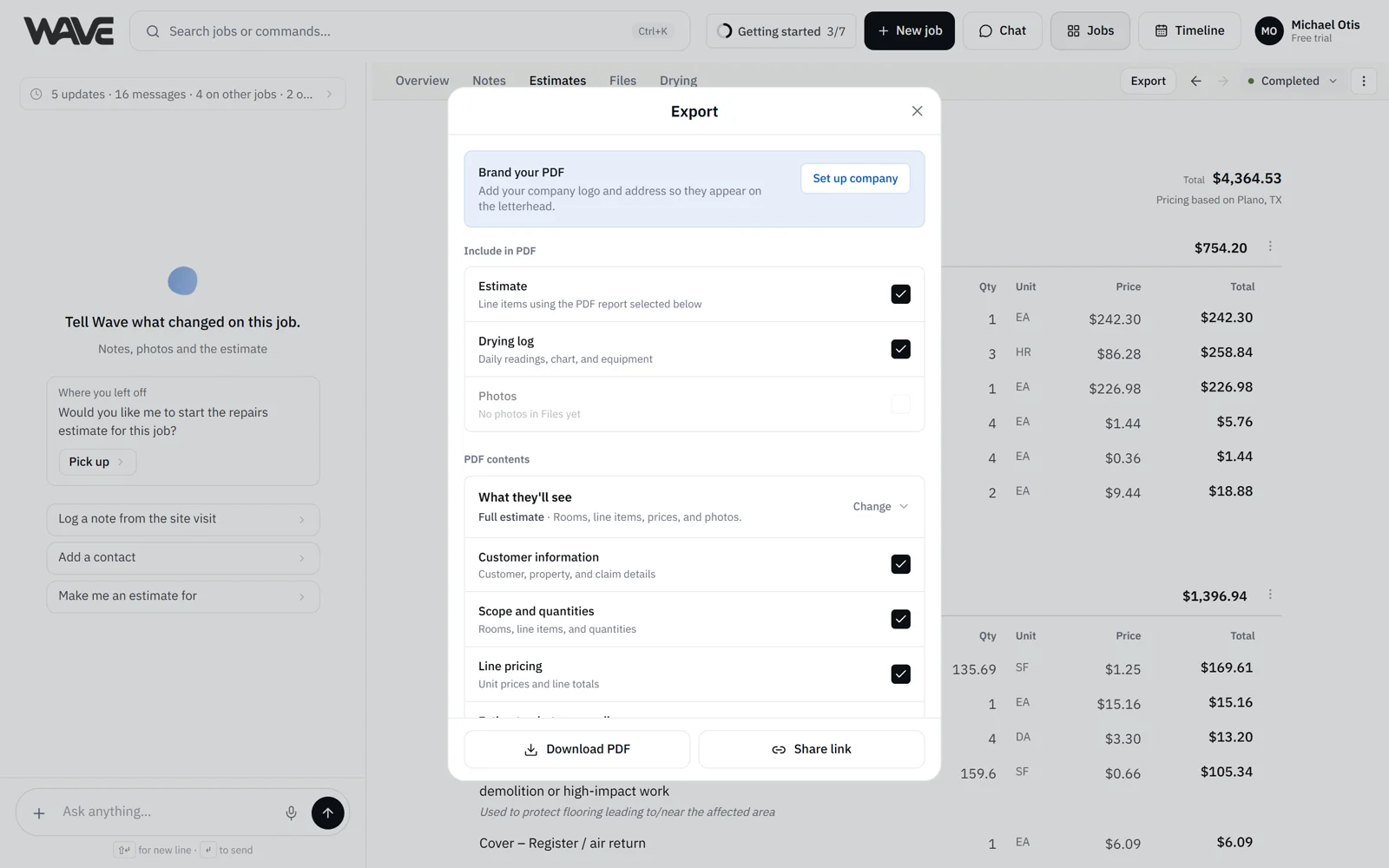
- Click Export, then Share link at the bottom of the dialog. The Share estimate sheet opens.
- At the top of the sheet, pick who the estimate is for: Customer or Adjuster or collaborator (see below).
- Check What they'll see and Attachments and records, and change them if you need to.
- Click Copy customer link or Copy collaborator link, then paste it into a text or email.
- Click Preview to open the page the way the recipient will see it.
Open Share link from the Export dialog on the Estimates tab. The Export chip on other tabs creates PDFs. The share sheet has its own choices, separate from the report, price column and photo choices in the Export dialog.
Two audiences, two links
- Adjuster or collaborator: a working view with full pricing. They can read each line, comment on individual lines, open the change history and download the PDF. They sign in with a free Wave account, which makes comments attributable.
- Customer: a clean, view-only page with your company branding. No account and nothing to install. By default it shows quantities and one total, with no line prices.
Each audience has its own link. Replacing or stopping one leaves the other as it is.
Sensible starting points
Adjusters need unit prices to review a scope, so the collaborator link starts on Full estimate. Customers usually want the bottom line, so the customer link starts on Client summary. You can change either one.
What goes on the link
What they'll see sets the estimate detail:
- Client summary: quantities and one estimate total, no line prices.
- Full estimate: quantities, unit prices and line totals.
When the job has more than one estimate, the same menu lists the Estimates on this job, so one link can carry several of them. See Several estimates on one job.
Attachments and records has two switches, plus a third on jobs with a drying log:
- Line attachments: photos, PDFs and videos attached to a line.
- Additional files: job photos and files not attached to a line.
- Drying log: adds a read-only drying section with charts to the page. It reads "Applies to every share link on this job", so it covers the customer and collaborator links for each estimate. Spot-check readings on site before you share it.
What stays in Wave
Job notes, guideline findings and your chat with Wave stay inside Wave and are not part of a share link. Adjusters and collaborators can see the change history, and customer links don't include it. See Job notes and Billing checks.
What the recipient can do
They read the estimate on a branded page that looks like your PDF. They can open photos, page through attached documents, watch videos and download the whole thing as a PDF. On a collaborator link, the PDF includes the change history.
Recipients view the estimate, and approval happens in the conversation on the estimate, so the estimate stays current while you work through questions.
Manage a link
Open the Share estimate sheet again and pick the audience. Under Manage access:
- Replace link makes a fresh URL for that audience. The link you already sent stops working right away, so replace it when you want to cut off the old one. If you change what an existing link shows, the copy button changes to Replace and copy customer link (or collaborator link), which does the same thing.
- Stop sharing turns off that audience's link. Do it once for each audience you want to turn off.
New links stay active until you replace or stop them, so an adjuster can return to the estimate at any point in a long claim.
Customer links open for anyone with the URL, so share them only with the people you intend. Collaborator links also require a Wave sign-in, which keeps comments attributable.
Who has looked at it
Recent viewers on a collaborator link shows each person's first name, avatar and roughly when they opened it.
Availability
Creating a share link is part of the paid plans, alongside PDF export, and it's available during the free trial. Viewing and commenting are free for the person on the other end, so adjusters can read and comment on your estimate at no cost. You can also share an estimate that is locked, so adjusters can keep reviewing after the job closes. See Plans and limits.