
Settings
Settings overview
Settings is where you make Wave yours: your look, company details, letterheads, exports, integrations, prices, team and plan. See what each tab does and which ones need an Admin.
Settings is where you make Wave yours: your company's look, team, integrations and prices in one place. Open it from the account menu and choose Settings, or press ⌘K (Ctrl+K) and pick Open Settings. It opens as a window on top of whatever you were doing, so you stay right where you were.
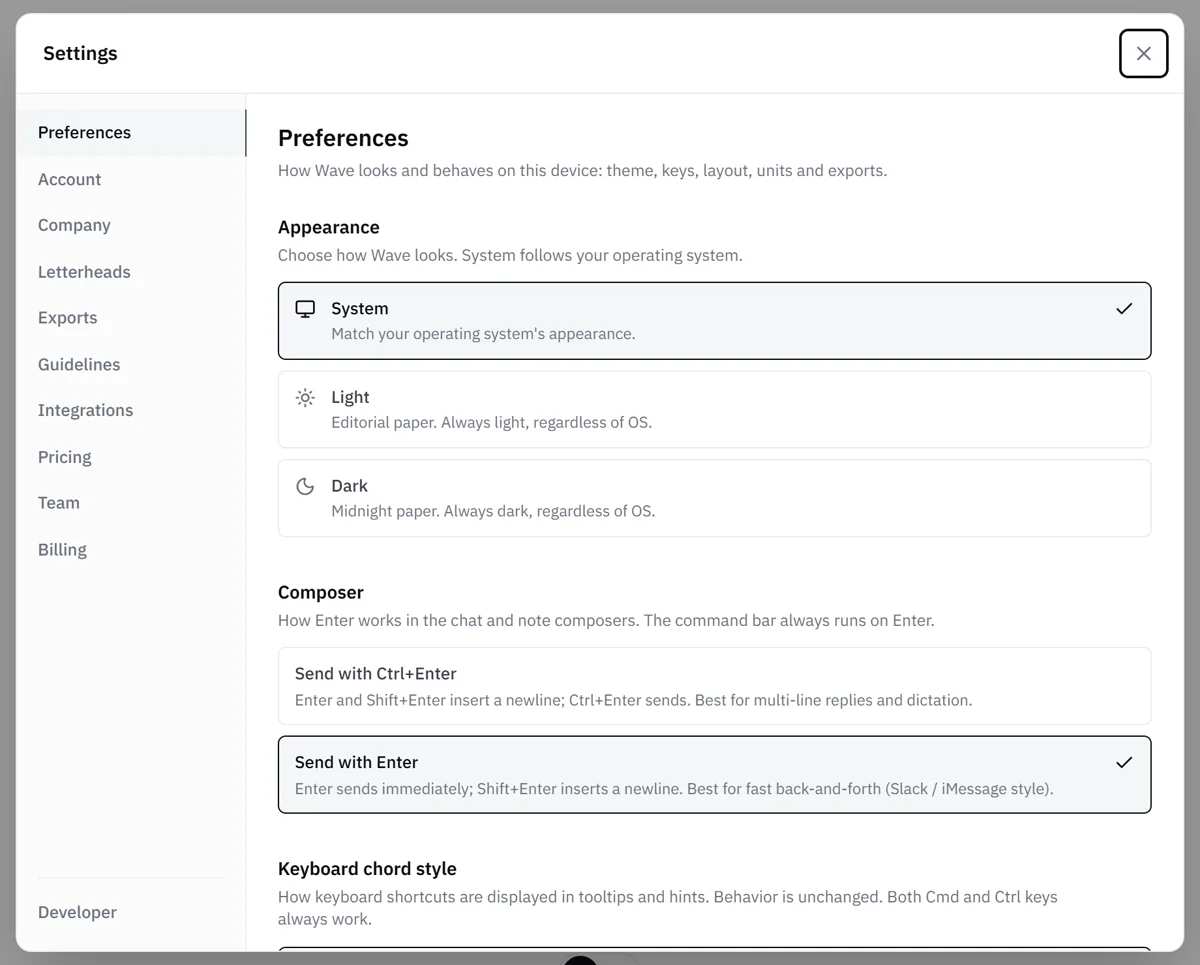
On a computer, the tabs run down the left side. On a phone, a dropdown at the top replaces the tab list. You see the tabs your role and plan include, in this order.
Changes save automatically, and a "Saved" indicator next to the Settings title confirms each one.
The tabs
Preferences
How Wave looks and behaves for you: Appearance (Light, Dark or System), the send key, keyboard chord style, which side the chat sits on, temperature unit and the report the Export dialog opens on. See Preferences.
Account
Your own details: first and last name, profile picture, sign-in email and a password reset link. Your role shows here too. See Account settings.
Company
Your company name, logo, address, phone, email, EIN, license number, customer policies and the time zone your schedule runs on. Everyone can view it, and Admins can save changes. See Company info.
Letterheads
For Admins. Add extra letterheads for other locations or brands, each with its own name, logo and contact details. Your company details are the default letterhead, and extra letterheads are a Pro feature. See Letterheads for multiple locations.
Exports
For Admins. The look of your exported PDFs: styled or plain, your brand accent color and the cover style. See Brand your exports.
Guidelines
Open to everyone on the team when your plan includes it: Pro, Enterprise, high-volume Custom plans and the free trial. Upload the carrier or TPA guideline PDFs you work under. Wave reads them and sets up the billing checks it finds, and each program shows its status (Reading, Ready, No billing checks or Couldn't read). See Set up carrier guidelines. Your guidelines stay private to your company.
Integrations
For Admins. Connect QuickBooks Online (Basic and above, and the free trial) and Slack notifications (any paid plan). The tab appears when your plan includes either one. See Connect QuickBooks and Slack notifications.
Pricing
Open to everyone. Every teammate can manage Your Items, the company's own line items that show up in autofill. The Company Pricing section, where you replace Wave's regional prices with your own, is for Admins. See Your Items and Custom pricing.
Team
For Admins. See members and pending invitations. Invite someone by email as an Admin or a Member, resend or cancel an invitation, change a member's role, or remove a member. When your company has two or more letterheads, you also set each member's default letterhead here. See Invite a teammate and Manage your team.
Billing
For Admins. Your current plan, your next billing date and your past invoices, which you can download as PDFs. Change plan opens the plan picker inside Wave, where you upgrade, downgrade or switch between monthly and annual. To cancel, use the current plan card in the plan picker. If a payment fails, the Billing tab shows Update payment method so you can update your card. See Change your plan and Billing history.
Developer
Open to everyone, at the bottom of the tab list. Create an API key so the AI assistant you already use can work in Wave for you, from looking up jobs to adding notes and preparing estimates. API keys are available on paid plans.
Who sees what
Every teammate sees Preferences, Account, Company, Pricing, Developer and, when the plan includes it, Guidelines. Admins also see Letterheads, Exports, Integrations, Team and Billing. See User roles.
Related
- Preferences: your personal display and behavior options
- Company info: the details that print on your exports
- Letterheads for multiple locations: extra locations or brands
- User roles: what Admins and Members can do
- Plans and limits: which features come with each plan