
Jobs & Timeline
Job notes: one running log your team and Wave can both use
The Notes tab is your team's log for a job. Notes stay inside Wave, and Wave reads them so it doesn't ask again for what your team already wrote down.
Keep everything your team knows about a job in one running log, and let Wave read it so it doesn't ask for what you already wrote down. Notes stay inside Wave and are not part of estimate PDFs, exports or share links.
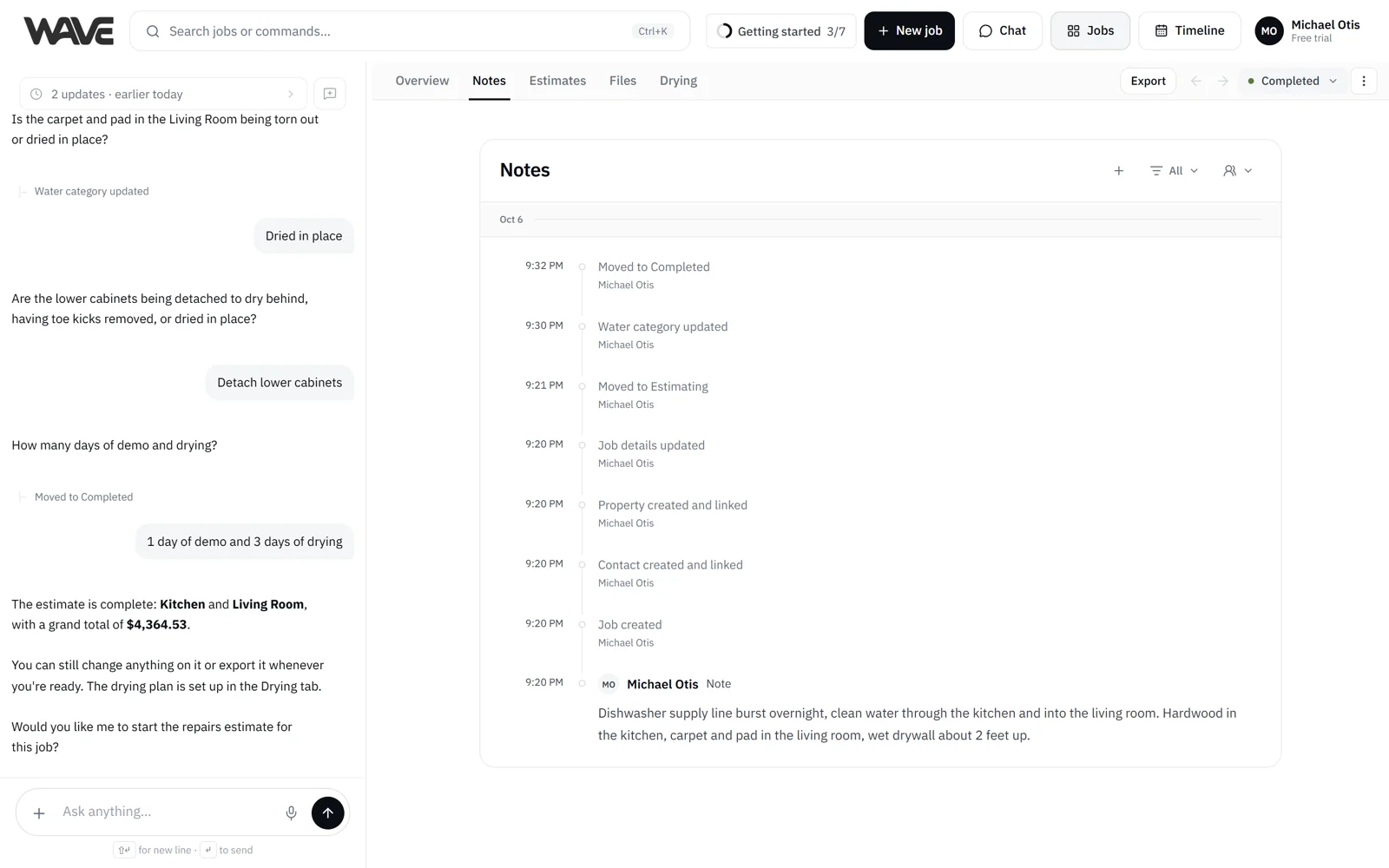
Some things about a job belong in the file but not on the document: "customer says drying can't start till next week," "adjuster prefers calls over email," "three air movers and one dehu set in the basement." Every job has a Notes tab: a running log of what your team wrote and what happened on the job. Each entry shows who added it and when.
Post a note
- Open the job from Jobs and go to Notes.
- Click + (Add note manually) at the top of the log.
- Type the note and post it with your send key. You can choose how sending works in Settings > Preferences. See Preferences.
On a phone, + opens a New note card. Type the note and tap Post. If you close the card without posting, your words stay in it until you tap Cancel.
A note can be long, up to 20,000 characters, so a full room-by-room site walk fits in one note.
Edit a note and see its history
Click a note's text to edit it, then click Save. Each edit is kept, and an edited note shows an Edited link. Open it to see each earlier version, with who changed it and when.
Archived jobs keep their notes for reference.
Filter the log
The Notes tab is also the job's activity log. It records visits, files, schedule changes and other updates. Use the filter menu at the top to show:
- All
- Notes
- Visits
- Files
- Schedule
- Changes
A second menu filters the log by person, so you can see what one teammate wrote. Entries that record what happened (a visit, a file, a change) are a read-only record.
Add a note by telling Wave
You can add a note without opening the tab. Tell Wave in the job's chat or in the Home box, typed or dictated: "note on the Park job: homeowner wants a call before 9 a.m." Wave files it as a job note. If you're looking at an estimate and it isn't clear where the words belong, Wave asks whether to add them to the estimate or save them as a job note.
Wave reads your notes
Wave's chat sits beside each tab of the job, and it reads the job's notes:
- When you ask about the job, Wave answers from the job's details and notes.
- When an estimate starts, Wave treats the notes as context. If a note already covers something, like which rooms are affected, Wave has what it needs without asking again.
A note written by whoever is on site in the morning saves the person writing the estimate questions in the afternoon.
Notes in Slack
If an Admin has connected Slack and turned on the New note alert, each new note posts to the chosen Slack channel with its full text. Pick a channel your whole team should see before you turn the alert on. See Slack notifications.
Where each kind of note shows
Job notes stay on the Notes tab. When you want words on the document, use one of the other notes:
| Note type | Where it shows |
|---|---|
| Line-item notes | Print on the PDF, under the line |
| Project notes | On the job's Overview, and print on that estimate's PDF |
| Job notes | The Notes tab. Wave reads them, and they post to Slack when the New note alert is on |